How Hormozi Style Editing Works (and When Not to Use It)
The Hormozi editing style broken into its four components, how to reproduce each one, and the content types where copying it makes your video worse.
The four components of the Hormozi editing style, how each one is actually produced, and the content types where copying it works against you.
Hormozi style editing is four things applied together: word by word captions in bold uppercase with the active word highlighted, aggressive jump cuts every one to three seconds, digital punch ins of ten to twenty percent on emphasis, and a delivery that front loads the claim. The captions get the attention, but the cutting is what does most of the work.
The useful question is not "how do I get these captions?" It is "does my content survive being cut every two seconds?" The style compresses a message to its densest possible form, which flatters some material and destroys the rest.
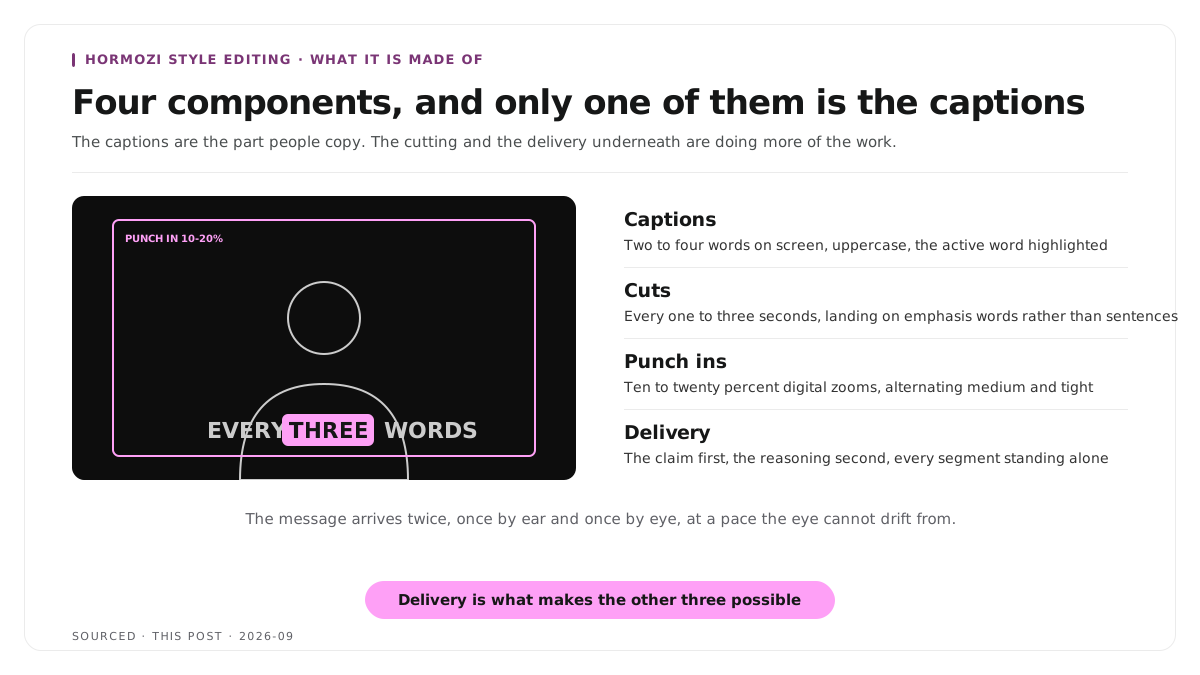
The four components
Captions
The part everyone recognises. The specification, as far as a consistent one exists:
- Two to four words on screen at a time, not a full sentence
- Bold geometric sans serif, heavy weight, all uppercase
- The active word highlighted, usually yellow, while the surrounding words stay white
- A dark outline or drop shadow so the text reads over any footage
- A subtle scale bounce as each word lands
The mechanism underneath is that the reader is getting the message twice, once by ear and once by eye, at a pace the eye cannot drift from. It is a retention device rather than a decorative one.
Cuts
Jump cuts every one to three seconds, landing on emphasis words rather than at sentence boundaries.
This is the component people underestimate, and it is doing more than the captions are. Removing every pause, every hesitation and every breath produces a density of information per second that most speakers never achieve live. The visible jumps are not a side effect being tolerated, they are the format.
Punch ins
Digital zooms of roughly ten to twenty percent, alternating between a centred medium shot and a tighter frame.
This is how a single camera setup gets visual variety. Each punch in also disguises a cut, which is why the style tolerates so many of them without feeling broken.
Delivery
The claim comes first, the reasoning second. Every segment is built so the first sentence could stand alone.
Without this, the other three components have nothing to work with. You cannot cut every two seconds around a speaker who takes thirty seconds to reach the point.
How to actually produce it
Record with the edit in mind. Speak in complete self contained sentences, leave a beat between points, and deliver with more energy than feels natural, because the compression flattens tone.
Record above your publishing resolution. Punch ins crop the frame, so a 4K source publishing at 1080p gives you room to zoom without softening.
Cut the audio first, then add the picture moves. Get the speech tight, then place punch ins on the emphasis points and on any cut that reads badly.
Set the caption style once and reuse it. Most editors and clip tools let you save a caption preset. Rebuilding it per video is where the hours go, and the treatment choices are covered in caption styles for B2B and B2C platforms.
Proofread every caption. Word by word display puts each error on screen alone and at size. A misspelt product name is unmissable in this format.
The editing sequence this depends on is set out in how to edit an interview video, and the transcript based approach that makes the cutting fast is in text based video editing.
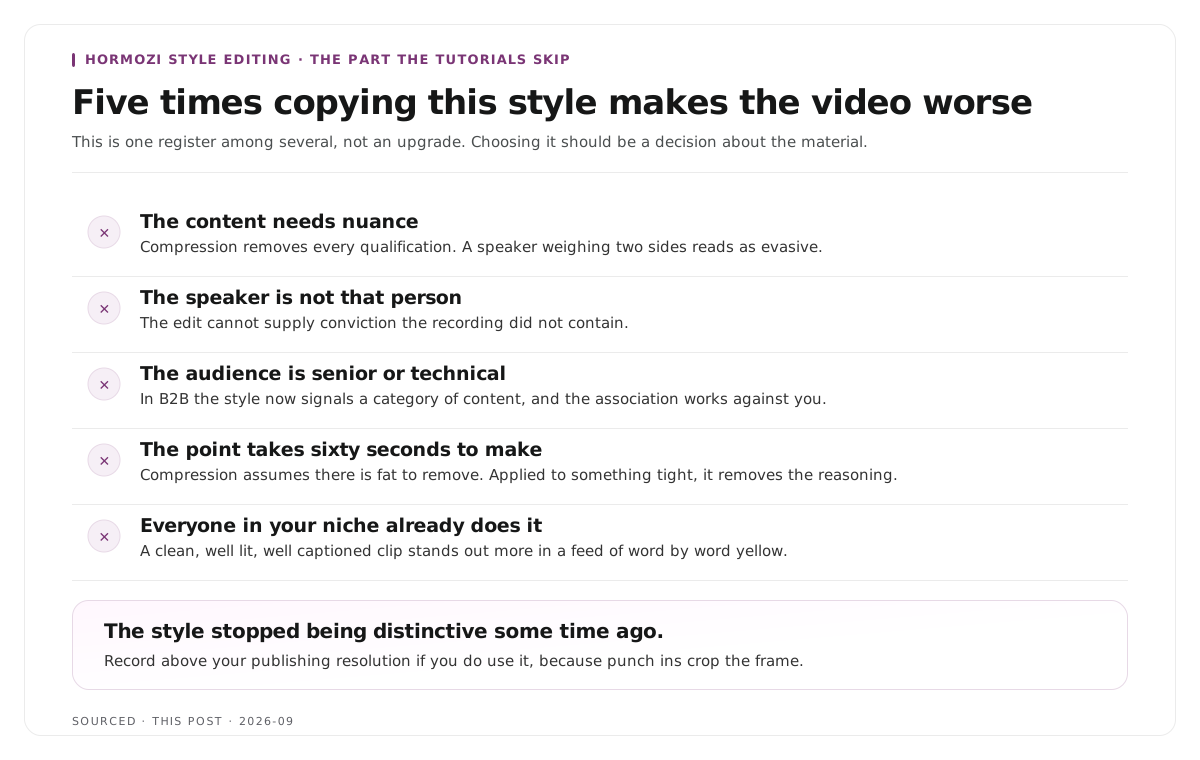
When not to use it
This is the part the tutorials skip, and it matters more than the technique.
When the content needs nuance. The style removes every qualification, every pause and every moment of thinking. A speaker weighing two sides of an argument reads as evasive once you compress them. Anything with genuine complexity gets flattened into confidence it does not have.
When the speaker is not that person. The delivery is a performance, and a measured or softly spoken expert edited this way reads as a mismatch rather than as energy. The edit cannot supply conviction the recording did not contain.
When your audience is senior or technical. In B2B especially, the style now signals a category of content, and for some audiences that association works against the credibility you are trying to build.
When the point takes sixty seconds to make. Compression assumes there is fat to remove. Applied to something already tight, it starts removing the reasoning.
When everyone in your niche already does it. The style stopped being distinctive some time ago. A clean, well captioned, well lit clip now stands out more in a feed where every competitor is doing word by word yellow.
The honest framing is that this is one register among several, not an upgrade. Choosing it should be a decision about the material rather than a default.
Worked example: the same answer, two treatments
This is an invented example, not measured data.
A specialist gives a ninety second answer explaining why a common approach fails in two specific situations and works in a third.
Edited in this style, the answer becomes thirty five seconds. The qualifications go, the two exceptions go, and what remains is a confident claim that the common approach fails. It performs well and it is not what the specialist said.
Edited conservatively, it runs seventy seconds, keeps both exceptions, and gets fewer views from people who were never going to hire a specialist anyway.
The second version is not worse. It is aimed at a different outcome, and the choice between them is strategic rather than technical.
Where Montage fits
Montage does not apply this style and has no Hormozi preset. It does not do word by word highlighting, does not add punch ins and is not a general purpose editor, so the picture moves described here are timeline work.
What it does is take a long recording and return the moments worth publishing. Upload up to 20GB at 4K and it gives you 8 to 10 scored clip candidates rather than an unranked pile, each trimmable by editing transcript text, with branded captions and vertical reframing applied, exporting as MP4 for social or XML, FCPXML and JSON for an editor.[1]
Two things there are relevant. Trimming by transcript is how you get the dense cutting without hunting for word boundaries in a waveform. And the 4K source matters, because punch ins crop the frame and a clip cut from a downscaled proxy softens as soon as you zoom.
To try it on one recording, use the podcast clip finder, and for what makes a clip work before any styling is applied see how to make shareable podcast clips for social media.
Limitations and troubleshooting
The captions are right and the clip still drags. The cutting is too loose. The captions are the visible layer, the compression is the mechanism.
The punch ins look soft. The source was recorded at publishing resolution, so zooming enlarges rather than crops. Record above what you publish at.
Every clip looks the same. One preset applied to everything. Vary the punch in rhythm and let some segments sit still.
The speaker seems aggressive. The compression removed the pauses that were carrying warmth. Loosen the cutting rather than changing the delivery.
Captions cannot keep up with fast speech. Reduce to two words on screen at a time rather than shortening the display duration.
It worked for someone else and not for us. Check the audience rather than the execution. The style is strongly associated with one category of content and not every buyer responds to it well.
Frequently asked questions
What is Hormozi style editing?
An editing approach combining word by word uppercase captions with the active word highlighted, jump cuts every one to three seconds, digital punch ins of ten to twenty percent, and a delivery that puts the claim first.
What font do Hormozi style captions use?
A bold geometric sans serif in a heavy weight, set in all uppercase, with two to four words visible at a time and a dark outline so it reads over any footage.
Why are the captions word by word?
It gives the viewer the message through two channels at once, reading and listening, at a pace that does not let attention drift. It is a retention mechanism rather than a design choice.
Does this style work for B2B content?
Sometimes. It compresses out nuance and qualification, which suits a simple claim and works against anything where the reasoning matters. Senior and technical audiences often read it as a signal about the content category.
How many cuts should a clip in this style have?
One every one to three seconds, placed on emphasis words rather than at sentence boundaries. The density of the cutting is what defines the style more than the captions do.
Does Montage produce Hormozi style clips?
No. Montage produces clips with your branded captions and framing. Word by word highlighting and punch ins are timeline work in an editor.