Cutaway Shots: What They Are and How to Use Them in an Edit
What a cutaway shot is, how it differs from a cut-in, how much to shoot, and how editors use cutaways to hide jump cuts and control pacing.
What a cutaway shot is, how it differs from a cut-in and a reaction shot, how much material to capture, and how editors use cutaways to hide cuts and control the pace of an edit.
A cutaway shot is a brief shot of something other than the main action, cut into the middle of a scene and then cut back from. Editors use them to add context, control pacing and hide jump cuts. The shot you cut away from is the a-roll; the cutaway itself comes from your b-roll.
The useful question is not "what should I cut away to?" It is "why is the viewer leaving this shot?" There are only three good answers: to see something being described, to feel time pass, or because you removed something and the join needs covering. A cutaway with no answer is filler and the audience feels it.
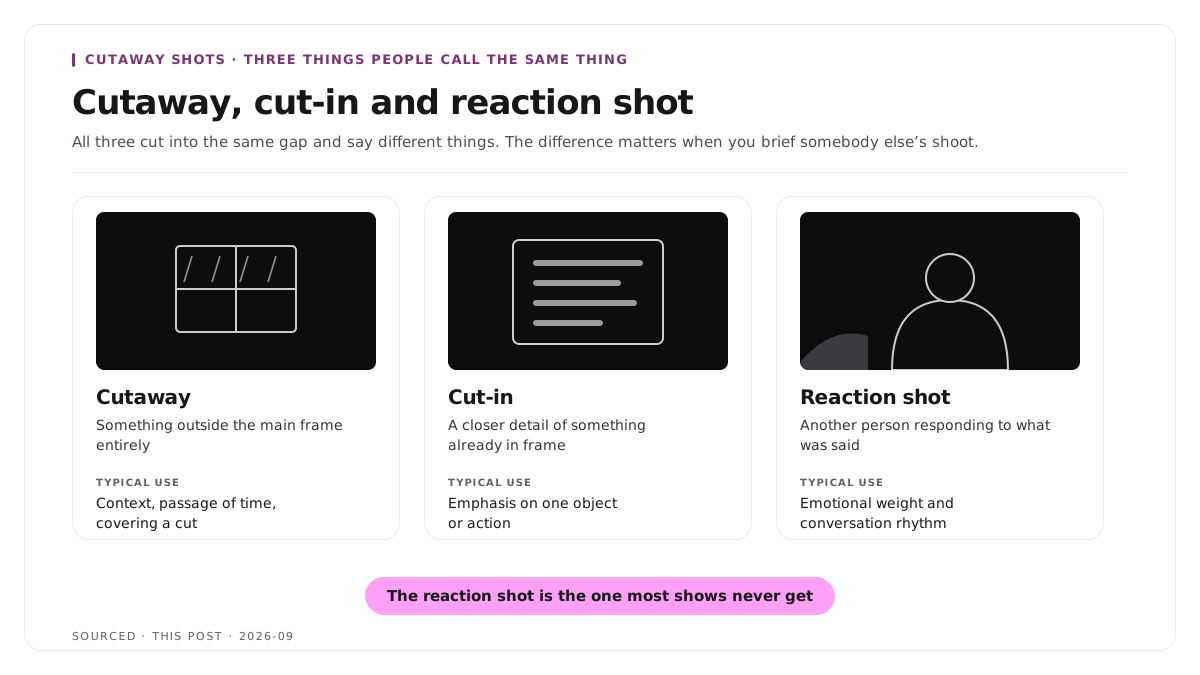
Cutaway, cut-in and reaction shot
These three get used interchangeably and mean different things, which matters when you are briefing someone else's shoot.
| Shot | What It Shows | Typical Use |
|---|---|---|
| Cutaway | Something outside the main frame entirely | Context, passage of time, covering a cut |
| Cut-in | A closer detail of something already in the frame | Emphasis on a specific object or action |
| Reaction shot | Another person responding to what was said | Emotional weight, conversation rhythm |
A cutaway to the window shows it is raining outside. A cut-in to the speaker's hands shows what they are holding. A reaction shot shows the interviewer wincing. All three cut into the same gap and say different things.
For interview and podcast work, the reaction shot is the most underused of the three, because it requires a second camera and most people only run one.
Step 1: decide where the cutaways go before you shoot
Read the script or the transcript and mark two categories.
Every concrete thing mentioned. A product, a place, a document, a screen, a tool. Each of those is a cutaway waiting to be shot, and each one makes an abstract claim visible.
Every point where you know you will cut. Anywhere a speaker is likely to restart, ramble or repeat. Each of those joins needs covering.
Doing this first is the difference between cutaways that illustrate the point and cutaways that merely fill the gap. The same planning approach applies to general coverage, which is set out in how to edit an interview video.
Step 2: shoot three to five minutes per finished minute
The working ratio across editors is three to five minutes of cutaway material for every minute of finished video. That sounds excessive until the first time you need a shot you did not get.
Shoot each subject at three distances. Wide for context, medium for action, close for detail. The close up is the one that cuts most cleanly over a join, because it shares the least visual information with the shot either side of it.
Hold each shot for at least ten seconds. A three second clip gives an editor nothing to trim, and the moment you need is often at the end rather than the start.
Match lighting and colour to the a-roll. This is the failure that ruins otherwise good cutaways. A cutaway filmed in daylight cut into an interview lit with tungsten will jar the viewer even if they cannot say why. Shoot in the same room, with the same lights, on the same day where you possibly can.
Match resolution and frame rate too. Mismatched footage becomes a problem you solve under deadline pressure later.
Capture ambient sound. Room tone under a cutaway is frequently what makes it feel part of the scene rather than dropped into it.
Step 3: cut them in
The order matters and reversing it costs hours.
- Cut the a-roll until the story works. Trim the stumbles, drop the tangents, tighten the argument. Ignore the picture entirely at this stage.
- Play it back and mark every visible jump. The edit tells you where cutaways go, not your preference.
- Place a cutaway on the track above each join. The a-roll audio keeps running underneath, which is what holds the scene together.
- Start the cutaway a few frames before the cut, not on it. Landing exactly on the splice draws attention to the thing you are trying to hide.
- Cut on the word. Bring the cutaway in as the speaker names the subject. Bringing it in during a pause reads as filler.
- Cut back before the viewer wonders where the speaker went. Two to four seconds covers most joins.
Do not cut away from a moment the face is carrying. If the speaker is being funny, moved or uncomfortable, the face is the shot. Cutting away throws the moment out.
Vary what you cut to. Three cutaways in a row to the same desk makes the edit feel like it ran out of material, which it probably did.
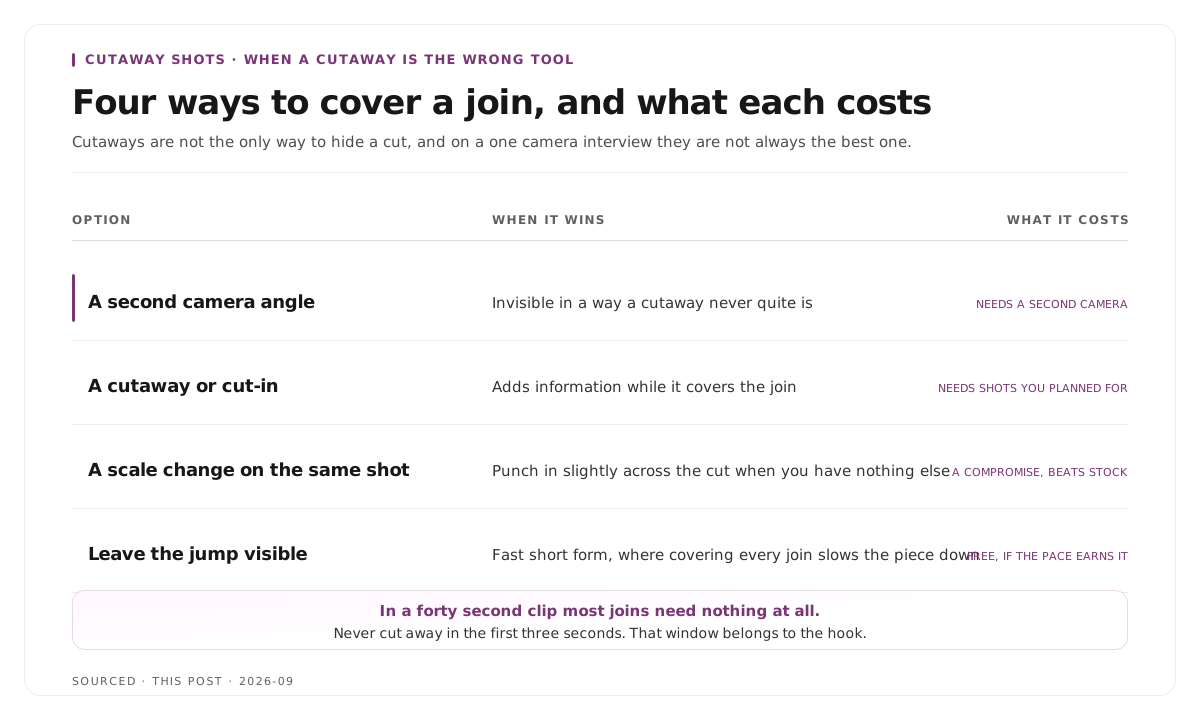
Step 4: know when a cutaway is the wrong tool
Cutaways are not the only way to cover a cut, and sometimes they are the worst one.
A second camera angle covers a join better. Cutting between two angles of the same conversation is invisible in a way a cutaway never quite is, which is why multi camera setups need so much less b-roll. The multi camera case for interviews specifically is in how to clip multi speaker panel discussions without losing context.
A scale change on the same footage works when you have nothing else. Punching in slightly on the a-roll across the cut disguises it. It is a compromise and it beats a generic stock shot.
Sometimes the jump cut is the right choice. Fast paced short form content uses visible jumps deliberately, and covering every one of them slows the piece down. That judgement is covered in how to make shareable podcast clips for social media.
Cutaways in short form clips
Short clips follow different rules and applying long form instincts makes them worse.
Most clips need no cutaway at all. A forty second clip of one good point rarely needs anywhere else to look, and leaving a strong delivery weakens it.
Joins inside a clip are more visible, not less. There is less material around them to distract the eye, so if you trimmed filler out of a clip, either cover the join properly or use a scale change.
Never cut away in the first three seconds. That window belongs to the speaker and the opening line, and it is what stops the scroll.
Full frame or not at all. A picture in picture cutaway inside a vertical frame competes with the captions and the speaker.
The trimming side of clip work is covered in text based video editing.
Worked example: covering three cuts in an interview
This is an invented example, not measured data.
A four minute interview segment is trimmed to two minutes fifty. Three cuts become visible: a removed restart at forty seconds, a deleted tangent at ninety seconds, and a tightened answer at two minutes ten.
The first is covered with a cut-in to the product being discussed, brought in as the speaker names it. The second is covered with a cutaway to the office, which also signals a change of subject. The third is covered with a reaction shot from the second camera, because the interviewer was visibly reacting and it was worth showing.
Total cutaway used, about nine seconds. Total captured that day, around fourteen minutes across eleven setups. The three joins are invisible and one of them added something the interview did not previously have.
Where Montage fits
Montage does not shoot cutaways, does not hold a media library, does not supply stock footage and does not insert coverage for you. It is not a general purpose editor and this workflow sits outside what it does.
What it does is take a long recording and return the moments worth publishing. Upload up to 20GB at 4K and it gives you 8 to 10 scored clip candidates rather than an unranked pile, each trimmable by editing transcript text, with branded captions, vertical reframing and exports to MP4 for social or XML, FCPXML and JSON for an editor.
That export is the relevant part for this workflow. If a clip needs cutaways laid over it, take the XML or FCPXML into Premiere or Final Cut with the cut already made and do the coverage work on a timeline, rather than rebuilding the clip from scratch. The handoff is described in how XML export solves the producer and editor handoff problem.
Limitations and troubleshooting
The cutaway jars even though the shot is good. Almost always a lighting or colour mismatch. Match the source at the shoot, and grade the cutaway toward the a-roll rather than the other way around.
The cut still reads as a jump. The cutaway starts on the splice instead of before it. Move it a few frames earlier.
Cutaways feel like filler. They are not motivated. Cut on the word being spoken rather than into a pause, and check that each one answers a question the viewer actually has.
There is not enough coverage. Standard result of shooting cutaways last. Use a second angle, a scale change, or a static asset with slow movement.
Every cutaway is the same shot. You shot one setup. Three distances of one subject is more useful than one distance of three subjects.
The clips look worse with cutaways than without. You are probably cutting away from the moments that were working. Remove every cutaway from the first three seconds and compare.
Frequently asked questions
What is a cutaway shot?
A brief shot of something other than the main action, cut into the middle of a scene and then cut back from. Editors use cutaways to add context, control pacing and hide the joins where material has been removed.
What is the difference between a cutaway and a cut-in?
A cutaway shows something outside the main frame entirely, such as the room or another person. A cut-in shows a closer detail of something already in frame, such as the speaker's hands.
How much cutaway footage should you shoot?
Three to five minutes of cutaway material for every finished minute of video, captured at three distances. Most of it will not be used, and the surplus is what makes the edit fast.
Do cutaways hide jump cuts?
Yes, and it is the main reason editors depend on them. Placing a cutaway over the splice removes the visible snap, so the edit reads as continuous.
How long should a cutaway be on screen?
Two to four seconds covers most joins. Longer than that and the viewer starts wondering where the speaker went.
Does Montage add cutaways to clips?
No. Montage produces the clip from your recording. If the clip needs cutaways, export it as XML or FCPXML and lay them in Premiere or Final Cut.