A Video Content Calendar That Survives Contact With a Team
A video content calendar built around production stages rather than publish dates, the seven fields it needs, and why most calendars fail in the second month.
How to build a video content calendar around production stages rather than publish dates, the seven fields it actually needs, and why most of them are abandoned in the second month.
A video content calendar needs seven fields: title, owner, stage, format, target publish date, target keyword or topic, and where it will be distributed. The stage field is the one that matters, because video moves through scripting, filming, editing and review before it can be published, and a calendar that only tracks publish dates cannot tell you whether next Tuesday is achievable.
The useful question is not "what are we publishing this month?" It is "what stage is everything in right now?" A calendar that answers the first and not the second looks organised in week one and is abandoned by week six.
Why most video calendars fail
Most teams copy a social media calendar and apply it to video. That is the root of the problem.
A social post goes from idea to published in one sitting. A video does not. It gets scripted, filmed, edited, reviewed, revised and only then published, and each of those stages has a different owner and a different bottleneck.
A calendar that shows only publish dates hides all of that. Everything looks fine until the week of publication, when it turns out three videos are still waiting on a review that nobody was tracking. The calendar was accurate and useless at the same time.
The second failure is granularity. Teams build a calendar with fourteen fields, fill it in properly for two weeks, and then stop, because maintaining it costs more than it returns. A calendar nobody updates is worse than no calendar, because people still trust it.
The seven fields
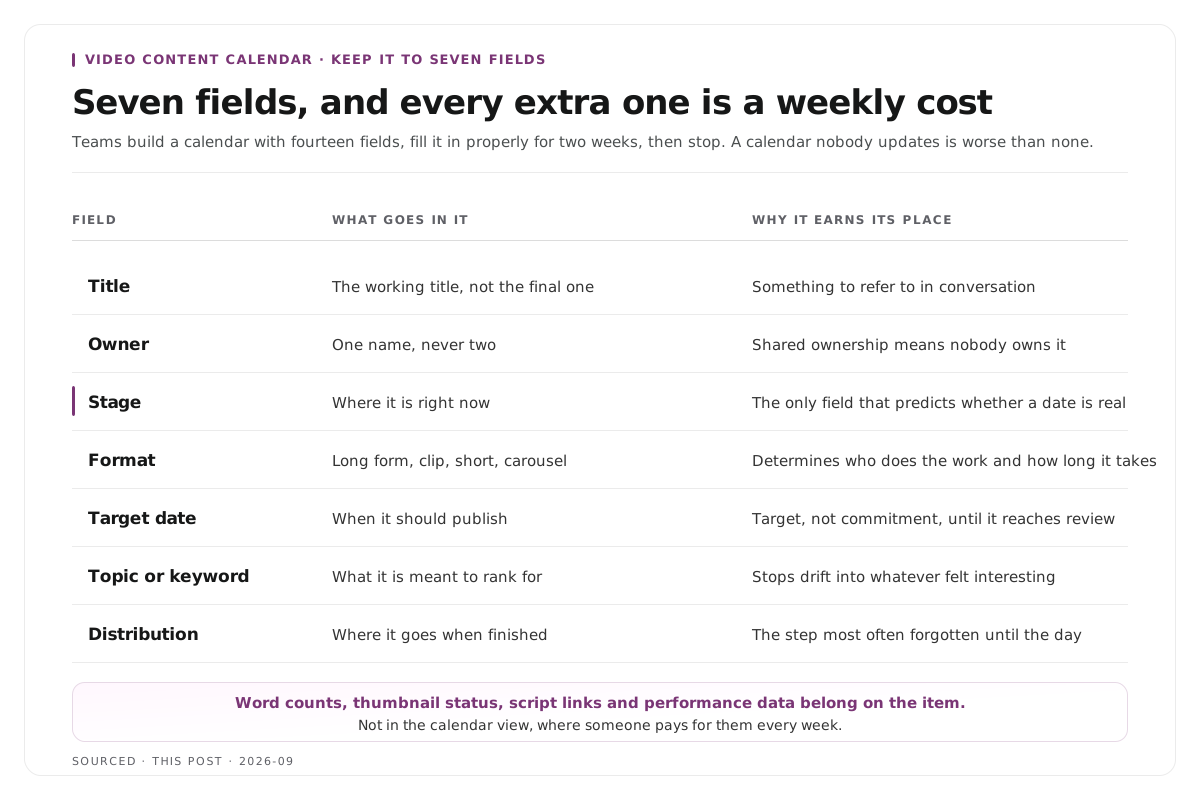
Keep it to these. Every additional field is a maintenance cost that someone pays weekly.
| Field | What Goes in It | Why It Earns Its Place |
|---|---|---|
| Title | The working title, not the final one | Something to refer to in conversation |
| Owner | One name, never two | Shared ownership means nobody owns it |
| Stage | Where it is right now | The only field that predicts whether a date is real |
| Format | Long form, clip, short, carousel | Determines who does the work and how long it takes |
| Target date | When it should publish | Target rather than commitment until it reaches review |
| Topic or keyword | What it is meant to rank for or address | Stops the calendar drifting into whatever felt interesting |
| Distribution | Where it goes when finished | The step most often forgotten until the day |
Resist adding more. Word counts, thumbnail status, script links and performance data all belong somewhere, and that somewhere is the individual item rather than the calendar view.
The stages
Name them explicitly and keep the list short. A workable set for video:
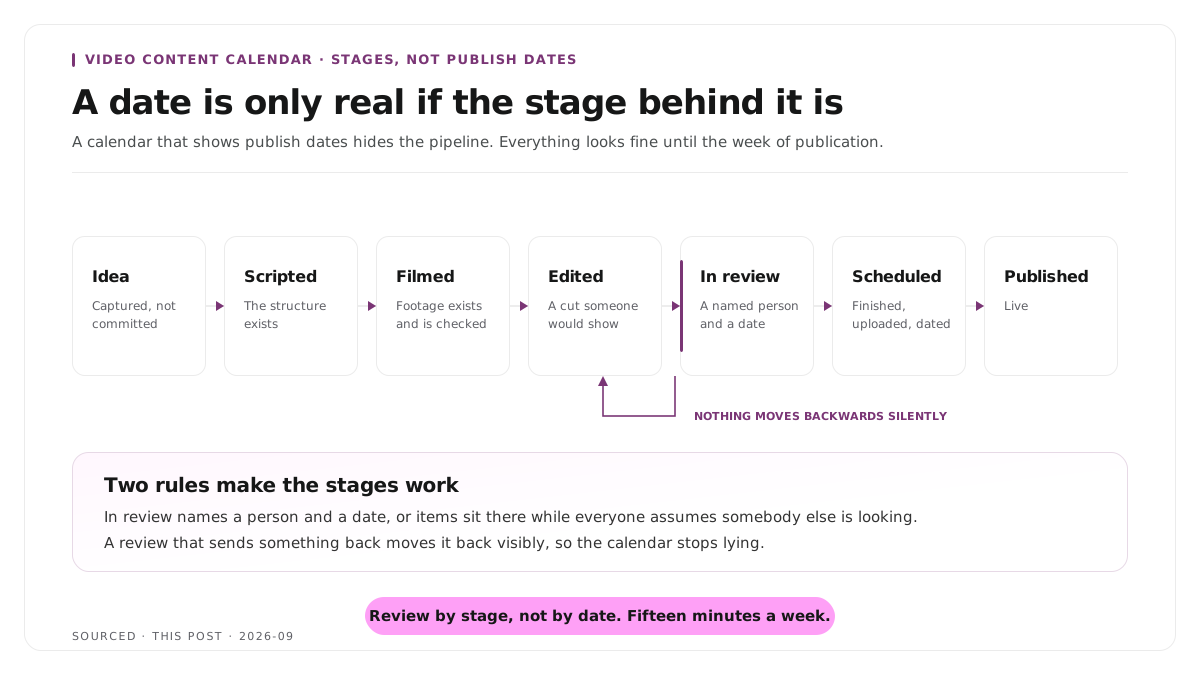
Idea. Captured, not committed. Most things live here and most things should.
Scripted. The structure exists, whether that is a full script or a question list.
Filmed. Footage exists and has been checked. Not just recorded, checked, because an unchecked recording is not a finished stage, and the handoff between those stages is covered in content production workflow, why editorial and editing should be two separate jobs.
Edited. A cut exists that someone would be willing to show.
In review. Waiting on a specific named person, with a date.
Scheduled. Finished, uploaded, dated.
Published.
Two rules make the stages work. In review must name a person and a date, or items sit there indefinitely while everyone assumes someone else is looking. And nothing moves backwards silently; if a review sends something back to editing, it moves back visibly so the calendar stops lying.
How clips fit
This is where most video calendars break for teams doing repurposing, because a recording produces many outputs and the calendar treats them as one row.
Give the source recording its own row, then a row per published clip. One row saying "podcast episode 14 plus clips" tells you nothing about whether the clips exist.
Group clips under the source. The clips inherit the recording's stage until it is filmed, then diverge, because selection and finishing happen per clip.
Plan the clip count as a range, not a number. Eight to ten candidates from an hour, five to seven published. Committing to a specific number in the calendar produces filler when the recording underdelivers, and the realistic figures are in how many clips you should make from one podcast episode.
Schedule the clips across two weeks after the source publishes, not on the same day, since same day publication makes them compete with the full piece. The cadence and the reasoning behind it are in how to repurpose podcast episodes for LinkedIn consistently.
Running it weekly
A calendar is a habit rather than a document. Fifteen minutes a week is what keeps it alive.
Review by stage, not by date. Start at the review column and work backwards. Anything stuck in one stage for two weeks is the real conversation.
Move things out of Idea deliberately. A hundred ideas and four in production is a functioning pipeline. A hundred ideas and forty in production is a jam.
Kill things visibly. Marking something dropped is healthier than leaving it in Idea for eight months, and it stops the list becoming something people avoid looking at.
Put the buffer in the calendar. Batching produces a month of content and then a month of nothing, and finished-but-unscheduled items are the fix. That workflow is in the content team video repurposing workflow.
Measure what published, not what was planned. A calendar that only shows intentions never confronts the gap between them and output.
Worked example: two calendars, one month
This is an invented example, not measured data.
Two teams plan eight videos and thirty clips for a month.
The first uses a publish date calendar. Week one looks healthy. In week three someone checks and finds that five of the eight are filmed but unedited and none of the clips have been selected, because nothing was tracking the state between filming and publishing. The month produces three videos and nine clips, and the calendar recorded none of the slippage until it was too late to act.
The second tracks stages. In week two the review column has four items sitting with the same named reviewer, which is visible at a glance and gets raised. The reviewer clears three, one gets dropped deliberately. The month produces six videos and twenty two clips.
The second team was not faster. They could see the bottleneck while there was still time to do something about it.
Where Montage fits
Montage is not a calendar, not a project management tool and not a scheduler. It does not track stages, assign owners or publish anything. Nothing on this page is something it does for you.
Where it touches the calendar is the stage between filmed and edited, which is where clip work usually stalls. Upload a long recording, up to 20GB at 4K, and it returns 8 to 10 scored clip candidates rather than an unranked pile, each trimmable by editing transcript text, with branded captions and vertical reframing applied, exporting as MP4 for social or XML, FCPXML and JSON for an editor.[1]
The practical effect on a calendar is that clip rows move from filmed to edited as a group rather than individually. Selection and finishing still need a human decision per clip, and the calendar still needs someone to keep it honest.
To see what one recording yields before committing rows to a calendar, use the podcast clip finder, and for teams running client work the same pipeline question is covered in how agencies deliver client video clips faster without losing editorial control.
Limitations and troubleshooting
The calendar was abandoned after three weeks. Too many fields. Cut it to the seven above and accept that everything else lives on the item rather than in the view.
Everything is in review. The stage has no named person or no date attached. Both are required or items sit there by default.
Publish dates keep slipping. The dates were commitments made at the idea stage. Treat a date as a target until the item reaches review, and only then as a commitment.
Nobody knows who owns a video. Two names in the owner field. One name, always, even when several people do the work.
The clips never get made. They share a row with the source recording, so their absence is invisible. Give each published clip its own row.
The calendar is full and output is low. The pipeline is jammed rather than empty. Count items per stage and look for the one holding forty items.
Frequently asked questions
What should a video content calendar include?
Seven fields: title, owner, stage, format, target publish date, topic or keyword, and distribution. Additional fields belong on the individual item rather than in the calendar view.
Why do content calendars stop being used?
Usually too many fields to maintain, or tracking publish dates only. A calendar that cannot show what stage each item is in cannot predict whether a date is achievable.
How far ahead should a video calendar be planned?
Four to six weeks in detail, with a longer list of ideas held loosely behind it. Planning further than that in detail produces plans that are revised before they are executed.
How do you track clips in a content calendar?
Give the source recording its own row and each published clip its own row beneath it. Plan the clip count as a range rather than a fixed number, since a recording may underdeliver.
Should the calendar track performance data?
No. Performance belongs in analytics and on the individual item. A calendar that tries to be a reporting tool becomes too heavy to maintain weekly.
Does Montage include a content calendar?
No. Montage produces clips from recordings. Planning, tracking, scheduling and publishing all sit in other tools.